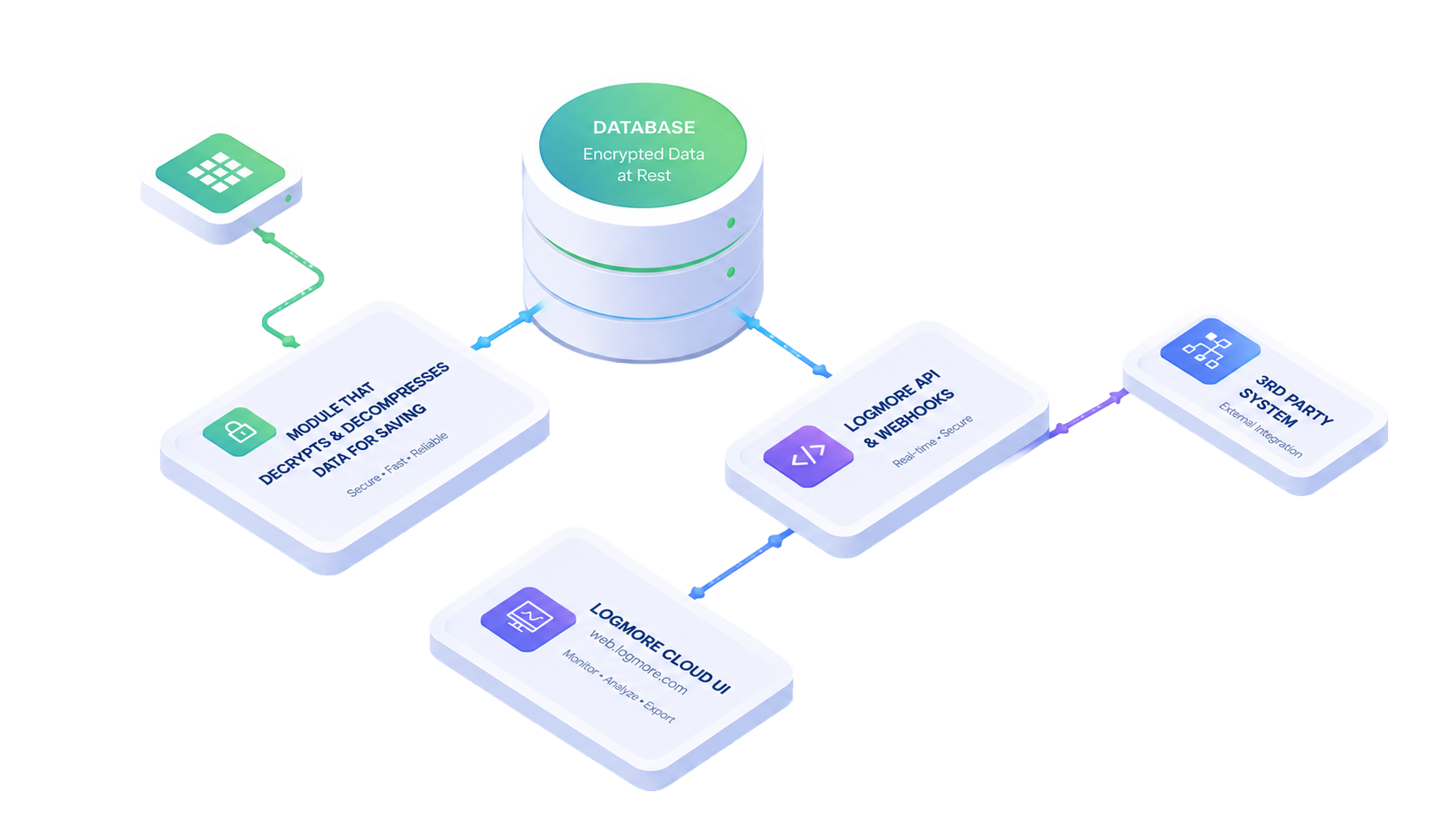
Powerful REST API
Integrate Logmore into your own processes
- Connect monitoring to WMS, ERP, TMS, and quality systems
- Keep shipment evidence available inside your own workflow
Connect Logmore data to WMS, TMS, ERP, quality, and control-tower workflows so Missions, reports, alerts, and condition data move automatically.
Powerful REST API
Start Missions
Integrate data flows
When to use API
Use integrations when shipment monitoring has to follow your WMS, ERP, TMS, quality, or control-tower process.
REST API examples
Typical integrations create Missions from shipment orders, close reports at receiving, and pull condition data into downstream systems.
Start monitoring from a WMS, ERP, or dispatch system when the shipment is packed.
{
  "shipmentId": "WMS-458219",
  "loggerId": "LM-2-839201",
  "templateId": "pharma-2-8c",
  "reference": "Order 10458"
}End a Mission at receiving or adjust the end timestamp to match the operational handoff.
{
  "endedAt": "2026-05-16T09:45:00Z",
  "reason": "received_at_dc"
}Fetch measurements, alerts, durations, comments, and scan events into a control tower.
{
  "include": ["alerts", "scans", "comments"],
  "format": "json"
}API or scan flow?
Integrations are not mandatory, but do allow fast high-volume user and data flows. REST API integration is for automation, scale, and system-owned logistics data.
One-way data flow
Best for making shipping operations more automatic, reducing human errors, and getting more value from measurement data by including additional metadata for each shipment report.
Alternatively to REST API, one-way integration can also be achieved via Excel import or ERP printed reports, such as SAP outputs.
Two-way data flow
In addition to optimizing operations by automating shipment creation in Logmore Cloud, the API can be used to pull reports or raw data into third-party systems.
Best fit if there is an existing visibility platform in use.
Questions & Answers
Quick answers for teams reviewing API scope, mission automation, and system access.
It automates condition monitoring processes, starts and ends Missions automatically, and integrates Logmore data into the customer’s own systems.
A team can link a Logmore data logger to its own system by entering the logger ID or scanning the logger barcode, then start shipments immediately based on templates managed in Logmore Cloud.
The page says the API can conclude a Mission or edit its end timestamp, set specific endpoints for shipments, end a Mission immediately after a logger scan, and limit report timeframes.
The API page highlights alerts, measurements, durations, comments, shipment names, Mission edits, Mission templates, and notifications when a logger is scanned.
The API is the better fit when supply chains scale and teams want to move beyond smartphone or Scanpoint-driven handling toward workflows where no scans are needed.
Next steps
Start with the documentation or talk with a Logmore expert about your integration workflow.